Shared article
The Square Peg in a Round Hole: The BlackBerry Passport's Audacious Gambit
Introduction: A Desperate Stand in the Smartphone Wars
Chapter 1
In the tumultuous mid-2010s, the smartphone landscape was a brutal battlefield, and BlackBerry, once a titan, found itself on the precipice. Its once-unassailable dominance had evaporated, usurped by the sleek, app-rich ecosystems of Apple's iOS and Google's Android. The company that pioneered mobile email and the business device was now fighting for its very existence, shedding market share with alarming speed, its once-loyal professional users migrating en masse to the touch-centric allure of competing platforms. This was not merely a decline; it was an existential crisis, a dramatic fall from grace that left many wondering if the iconic brand could ever reclaim a sliver of its former glory.
It was into this maelstrom that John Chen arrived as CEO in late 2013, a seasoned turnaround specialist with a clear, almost defiant, vision. He understood that BlackBerry could not win by simply mimicking its adversaries; it had to forge its own path, to return to the foundational principles that had once made it indispensable to a specific, demanding clientele. Chen's mandate was stark: pivot the company back to its enterprise roots, security, and the distinctive hardware that defined its heritage. The embodiment of this audacious new direction, a physical manifestation of BlackBerry's desperate yet determined stand, would be a device unlike any other on the market: the BlackBerry Passport, a square-faced challenger daring to defy the prevailing wisdom of smartphone design.
The Precipice and the Pivot: A Company on the Brink
Chapter 2
The preceding years had been brutal for BlackBerry. A series of missteps, perhaps most glaringly a belated and somewhat clumsy attempt to pivot into the consumer touchscreen market with devices like the BlackBerry Z10, had left the company hemorrhaging cash and reputation. These devices, while technically competent, struggled to differentiate themselves in a crowded field dominated by the polished user experiences and vast app libraries of iOS and Android. Consumers, by then accustomed to media consumption on large, rectangular screens, saw little reason to choose BlackBerry's late-to-the-party offerings. The company was adrift, attempting to appeal to everyone and, consequently, appealing to no one particularly strongly.
John Chen’s arrival marked a decisive end to this aimless wandering. His strategic mandate was surgical: abandon the costly, uphill battle for mass consumer appeal and instead double down on the segments where BlackBerry still held intrinsic value—enterprise, government, and security-conscious professionals. This meant a deliberate move away from the "consumer-first" mentality that had proved so ruinous, and a return to the company's historical strengths. The core insight was that while the broader market craved entertainment and general-purpose utility, there remained a powerful, underserved demographic that prioritized productivity, secure communication, and efficient text input above all else.
This reorientation meant consciously defying prevailing market trends. While every competitor chased larger, thinner, and more media-friendly rectangular displays, Chen’s BlackBerry would re-embrace the physical keyboard and explore unconventional designs if they demonstrably enhanced professional workflows. The notion was not to merely survive, but to redefine what a business-centric smartphone could and *should* be, even if it meant alienating the majority of the market. It was a high-stakes gamble, a bet that a distinct, purpose-built tool could carve out a defensible niche in a world increasingly dominated by generalized computing devices.
Designing for Distinction: The Square Screen and Touch-Sensitive Keyboard
Chapter 3
The engineering philosophy behind the BlackBerry Passport was a direct challenge to the prevailing industrial design of its era. At its heart was a singular focus: optimizing the device for the efficient consumption and creation of professional content, primarily documents, spreadsheets, and emails. This mandate led directly to its most controversial and distinguishing feature: the square display. The 4.5-inch IPS LCD panel boasted an unusual 1:1 aspect ratio with a resolution of 1440x1440 pixels, yielding a pixel density of 453 PPI. This wasn’t an aesthetic whim; it was a deliberate ergonomic choice. Research suggested that an optimal line length for reading was approximately 66 characters; the Passport's square screen could comfortably display 60 characters per line, significantly more than the 40 characters typically found on a narrower, rectangular smartphone. This maximized the visible information density, reducing the need for constant scrolling when navigating dense documents, a critical advantage for its target professional user.
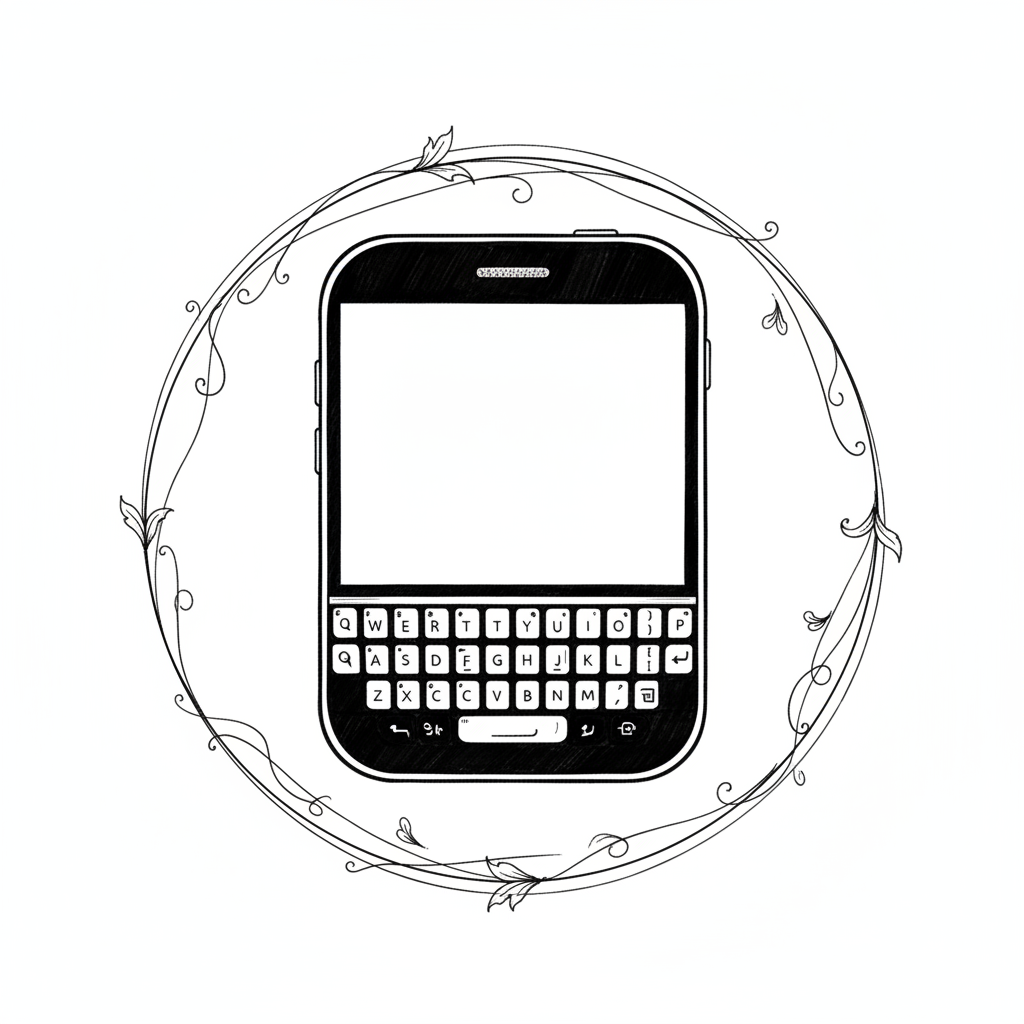
Complementing this unique screen was an equally audacious take on BlackBerry's most iconic feature: the physical QWERTY keyboard. Rather than simply porting an older design, the Passport's keyboard was re-engineered for both compactness and enhanced interaction. It featured a three-row physical layout, a departure from traditional four-row BlackBerry designs, with functions like numbers, symbols, and the Shift key intelligently integrated into a context-sensitive virtual fourth row that appeared dynamically on the touchscreen above the physical keys. This allowed for a more expansive physical key size within the device's width.
However, the true innovation lay in its touch-sensitive capabilities. The entire physical keyboard surface functioned as a trackpad. Users could swipe across the keys to scroll through documents and web pages, flick up to accept predictive text suggestions, and even perform precision cursor placement by sliding a finger. This merged the tactile feedback of physical keys with the intuitive gestures of a touchscreen, offering a unique hybrid input method. The design team faced the intricate challenge of ensuring seamless detection of distinct key presses versus swipe gestures, requiring sophisticated capacitive sensing and signal processing algorithms beneath the key array, all while maintaining the satisfying "click" that BlackBerry users cherished. It was an ambitious blend of maintaining traditional identity while pushing ergonomic and interactive boundaries for the discerning professional.
The Engine Room: Powering Productivity with BlackBerry 10.3
Chapter 4
Beneath the Passport's distinctive facade lay an "engine room" meticulously specified to support its productivity mandate. At its core, BlackBerry opted for the quad-core 2.2 GHz Qualcomm Snapdragon 801 system-on-chip, paired with an Adreno 330 GPU and a robust 3 GB of RAM. At the time of its release, this configuration provided a powerful and efficient platform, offering ample processing muscle for simultaneous multitasking, quick rendering of complex documents, and smooth operation of business-critical applications. The choice of the Snapdragon 801 was a pragmatic one, balancing performance, power efficiency, and integration maturity within the Android-dominated chipset ecosystem. For a device focused on professional use, consistent, lag-free performance was paramount, and the 801 delivered that.
Endurance was another non-negotiable requirement for the mobile professional, and BlackBerry engineered the Passport with a formidable 3450 mAh non-removable battery. This was a substantial capacity for its era, designed not just for competitive standby times, but for genuine, extended mixed usage, rated at over 30 hours. Achieving such longevity wasn't solely about raw battery size; it also involved sophisticated power management optimizations within the BlackBerry 10.3 operating system itself, ensuring that the display, modem, and other components consumed power efficiently during typical enterprise workflows. This commitment to all-day-plus battery life was a direct response to the demands of users who couldn't afford to be tethered to a charger during a long workday or extensive travel.
The device ran BlackBerry 10.3, an operating system that, while distinct, understood the professional user deeply. Key features like BlackBerry Hub served as a unified inbox, seamlessly aggregating emails, texts, social media notifications, and BBM messages into a single, swipe-accessible interface—a true productivity nexus. BlackBerry Assistant offered voice control for hands-free interaction, anticipating a growing trend. Crucially, recognizing the burgeoning dominance of Android apps, BlackBerry 10.3 strategically integrated the Amazon Appstore. This move was a pragmatic acknowledgment of the ecosystem gap, allowing users to access a wider range of popular applications beyond BlackBerry's native offerings, thereby broadening the Passport's utility without compromising its core security and productivity framework.
Launching a Maverick: Marketing, Release, and Initial Reception
Chapter 5
The BlackBerry Passport made its grand entrance onto the global stage with a series of simultaneous launch events spanning Toronto, London, and Dubai on September 24, 2014. This coordinated unveiling was a clear signal of BlackBerry's renewed international ambition and its unwavering focus on the global enterprise market. John Chen himself led the Toronto event, articulating the Passport's mission to serve "power users" and "business leaders" who demanded a tool for productivity rather than pure entertainment. The messaging was precise and targeted, eschewing broad consumer appeals in favor of a clear, differentiated value proposition aimed squarely at its intended niche.
Initial sales figures, particularly for a company struggling as BlackBerry was, offered a glimmer of hope. In the first two days alone, an impressive 200,000 units of the Passport were sold. The demand was so immediate that pre-order stock on both BlackBerry's own website and Amazon's quickly sold out within a mere 10 hours. While these numbers were a drop in the bucket compared to the millions of iPhones and Galaxy devices sold by competitors, they represented a significant surge for BlackBerry, demonstrating that a dedicated segment of the market was indeed hungry for a device that prioritized productivity and a physical keyboard.
The strategic pricing further underscored BlackBerry's positioning. The Passport launched at an unsubsidized retail price of $599 in the US, making it competitive with, and in some cases even less expensive than, contemporary flagship devices like the iPhone 6 ($649) and the Samsung Galaxy S5 ($699) at full retail. This pricing aimed to convey premium value without being prohibitive, signaling that the Passport was a serious, high-end professional tool. By offering a distinct alternative at a comparable price point, BlackBerry hoped to entice discerning business users to reconsider the brand, betting that its unique features would justify the investment over more conventional offerings.
The Friction of Form: Tradeoffs in Practical Use
Chapter 6
While the BlackBerry Passport’s audacious design carved out a distinctive presence, it also introduced significant real-world usability challenges that created friction for many users. The most immediate and common complaint revolved around its sheer physical dimensions. With a width of 90.3 mm and a weight of 194g, the device was notably broader and heavier than almost all its contemporary smartphones. This made one-handed operation an almost impossible feat for most, forcing users into a two-handed grip for even simple tasks. Furthermore, its formidable girth presented practical issues for pocketability, often stretching or simply not fitting comfortably into standard trouser pockets, making it an inconvenient companion for everyday carry. The very characteristics that made it unique also made it cumbersome.
Another inherent compromise stemmed directly from the lauded square screen itself. While a 1:1 aspect ratio proved exceptional for document viewing, web browsing, and email composition, it was inherently sub-optimal for multimedia consumption. Widescreen video content, prevalent across platforms like YouTube and Netflix, displayed with large black bars at the top and bottom of the screen, effectively shrinking the usable viewing area. For a market increasingly accustomed to cinematic experiences on their mobile devices, this represented a significant drawback, highlighting the Passport's deliberate prioritization of professional utility over leisure entertainment.
The innovative, touch-sensitive three-row physical keyboard, while technologically impressive, also presented a substantial learning curve. By relocating essential keys like numbers and the Shift key to a dynamic, context-sensitive virtual fourth row on the touchscreen, BlackBerry forced users to adapt to a novel typing paradigm. This meant that what was once a single, fluid physical action on traditional BlackBerry keyboards now often required a shift of focus between the physical keys and the virtual display. For many, this broke the rhythmic flow of touch-typing and negated some of the speed advantages typically associated with a physical keyboard, leading to initial frustration and a perception of reduced typing efficiency until muscle memory could be re-trained, if at all.
Legacy of a Differentiated Gamble: Impact and Aftermath
Chapter 7
The BlackBerry Passport, for all its daring innovation, ultimately faced a mixed critical reception and failed to reverse the company’s rapidly accelerating decline in the smartphone market. Reviewers and users alike praised its robust build quality, often described as tank-like, and acknowledged the ingenuity of its square screen for its intended purpose of document viewing. The innovative touch-sensitive keyboard also garnered appreciation from a segment of loyalists for its unique blend of tactile and gesture input. Its exceptional battery life and BlackBerry 10's enterprise-focused features like the Hub were also frequently highlighted as strong points, fulfilling BlackBerry's promise of a productivity powerhouse.
However, the Passport’s unique form factor proved to be a double-edged sword. While distinctive, its ungainly width and weight made it unwieldy for everyday use and pocketability, alienating a significant portion of potential users. The redesigned three-row keyboard, despite its touch capabilities, was criticized by some long-time BlackBerry aficionados for its reconfigured layout and the reliance on virtual keys, disrupting decades of muscle memory. The limited app ecosystem, even with the inclusion of the Amazon Appstore, continued to be a persistent hurdle, placing the Passport at a disadvantage against the expansive libraries of iOS and Android.
Despite initial sales bursts that were notable for BlackBerry’s then-struggling standards, these figures remained a small fraction of the broader smartphone market. The Passport, in essence, became a powerful, almost poignant, symbol of BlackBerry’s desperate yet courageous attempt to differentiate itself in a market that had largely standardized on conventional, rectangular touchscreen designs. It was a bold statement that the company still had innovative engineering prowess, but it was not the catalyst for a grand resurgence. Instead, it served as a testament to the challenges of defying market momentum and the profound difficulty of revitalizing a brand in a mature, fiercely competitive technological landscape.
Conclusion: A Bold Vision, A Niche Reality
Chapter 8
The BlackBerry Passport stands as a monument to engineering audacity and a clear, unwavering vision for a very specific demographic: the mobile professional who prioritizes productivity above all else. In an era where every major competitor was chasing iterative refinements of the rectangular, media-consumption-focused smartphone, BlackBerry dared to be different, delivering a device that defied mainstream trends with its distinctive square form factor and truly interactive, touch-sensitive physical keyboard. It was a purposeful, if polarizing, design choice, a declaration that utility and efficiency could still carve out a niche in a market saturated with generalized devices.
From its robust build quality and exceptional battery life, engineered to outlast the longest workdays, to its unique screen optimized for reading and editing, the Passport delivered on many of its core promises. BlackBerry Hub continued to provide an unparalleled unified messaging experience, and the strategic inclusion of the Amazon Appstore offered a necessary, if imperfect, bridge to a wider application ecosystem. It demonstrated that BlackBerry still possessed the technical ingenuity to craft a compelling device for its chosen audience.
Yet, its fundamental design compromises ultimately prevented widespread adoption. The very features that made it unique—its considerable width and the adapted keyboard layout—also created significant usability hurdles, making one-handed operation cumbersome and adapting to the new typing paradigm a challenge. The square screen, while excellent for documents, proved less ideal for the ubiquitous widescreen video content. The Passport’s journey encapsulates the profound challenges of innovating and differentiating within a mature, competitive market dominated by powerful, entrenched ecosystems. It leaves behind a legacy of niche admiration, a testament to what's possible when a company commits wholeheartedly to a distinct vision, even if that vision ultimately results in a niche reality rather than a market resurgence.
Bibliography
- wikipedia.org. Source
- informationweek.com. Source
- fastcompany.com. Source
- information-age.com. Source
- ubc.ca. Source
- quora.com. Source
- youtube.com. Source
- itpro.com. Source
- cnet.com. Source
- edn.com. Source
- slashgear.com. Source
- cbc.ca. Source
- techradar.com. Source
- zdnet.com. Source
- medium.com. Source
- mobileuserexperience.com. Source
- elbalad.news. Source
- gazelle.com. Source
- siliconangle.com. Source
- christiantoday.com. Source
- engadget.com. Source
- kitguru.net. Source
- globalnews.ca. Source
- pcmag.com. Source
- forbes.com. Source
- accio.com. Source
- androidauthority.com. Source